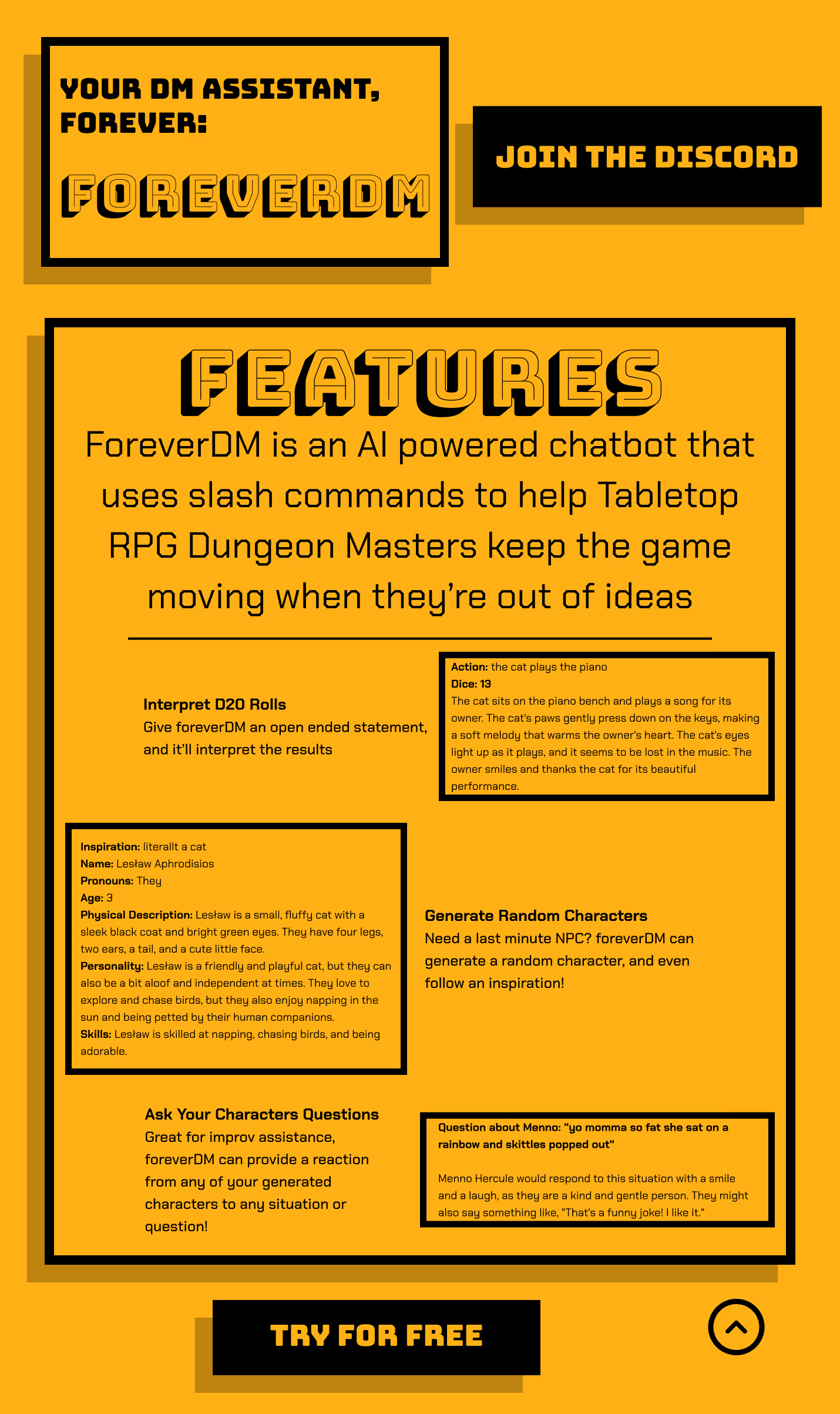
Tabletop role-playing games live or die on improvisation, and it’s a skill most new Dungeon Masters don’t have yet. foreverDM was my answer to a problem I’d hit myself running games with friends: a way to keep a session moving when a DM draws a blank and has to scramble to fill in the details of a turn the players took somewhere unexpected.
Outline
I set out to build a Discord bot that would answer improvisational questions from the information it had stored. It had to live where tabletop play already happened, on Discord, stay cheap enough to keep running, and answer fast enough to fit inside a single turn. It also had to be self-serve: anyone with a Discord account and an API key could invite it, so a bespoke one-off install was off the table. I built it on LangChain with retrieval-augmented generation in early 2023, before either was settled tooling, and ran a local RWKV v2 model rather than paying for hosted inference. The Discord API was straightforward to integrate. The customer interviews were where things got interesting: answering improv questions was a job players preferred to do themselves, not something they wanted to hand to a model.
Pivot
That finding forced a decision I’d rather not have made. I could keep building on the assumption that players wanted help with improv, or trust what the end users were actually telling me. I was genuinely excited about foreverDM. I’d built it to be useful, especially to beginners. But the interviews had already answered the question, and the usage data agreed: the bot wasn’t being used. Continuing would have meant spending more time and money on a product nobody wanted, so I shut it down.
The Outcome
I shipped a working Discord bot you could invite to a server, backed by a locally hosted RWKV v2 model running on my own hardware. The engineering held up. The product solved a problem I’d imagined rather than one the players actually had. The part that mattered was catching that from evidence and stopping, instead of sinking more time into it.
Retrospective
ForeverDM was sunset, but it shaped how I work. I now run customer research before I write code, and I position a product against the problem the customer actually has rather than the one I assume. Killing a product I believed in, on evidence, taught me more than shipping it ever would have. It’s a discipline I bring into every client engagement now.
The Problem
Morganics Handcrafted was losing hours to entering supplier stock into their Shopify storefront by hand, time that came straight out of their production. They needed a solution specific to their supplier and easy to integrate. I was commissioned to solve it and owned the build from requirements through to the finished plugin.
Outline
The solution had to be easy to adjust, easy to integrate, and easy to use, and it had to land before a large order arrived in a month or two. That meant balancing what the customer wanted against what the supplier’s and Shopify’s APIs would actually let me do. I started by researching both. Shopify was flexible about the internal and external tools it could support. The supplier’s API was the opposite, exposing far less than I’d hoped.
Pivot
I initially misread the requirement. I thought the customer wanted to search for an item, which the supplier’s API didn’t support. When I went back and clarified what they actually intended, they told me they’d always have a SKU number on hand when adding stock. Digging into the supplier’s API myself, I found it provided SKUs, so I could match products by SKU rather than search for them. Once that was clear, the work got much simpler to implement, and it didn’t cost the client anything extra.
The Outcome
The finished plugin did more than the customer asked for. The client could enter a supplier SKU and select all matching products. The plugin would then pull the official name, description, photos, and SKUs, calculate the ideal price from rules the client set themselves, and drop it into their store as a draft product, all in one click. They could also override the calculated price if they didn’t like it.
Retrospective
The client found it easy to use, and it cut the task from hours to minutes, which made batching simpler and saved the company real time and money. If I could do it again, I’d establish the customer’s inputs up front. That would have saved me time and produced a more cohesive product. A future pass could lean harder into the UI, but the timeline didn’t allow for finishing the improved mockup.
The Problem
Westford DCS, the client, was a division focused on ground vehicles, and it couldn’t produce an effective internal UI for the testing software I was assigned to. I was put in charge of that interface, specifically the testing technician’s view, with near-total latitude to build a C-compatible UI that could read from and send cues to the rest of the program. The only starting point I was given was a few mockups made in Tkinter, a Python UI library.
Outline
The problem with the existing UI was that it had become far more complicated than the job required. It was a victim of scope creep, picking up features that mattered to the lead designer but not to the testing technician who’d actually use it. I sat down with those technicians, and they confirmed it: the interface had drifted away from what they needed.
Constraints
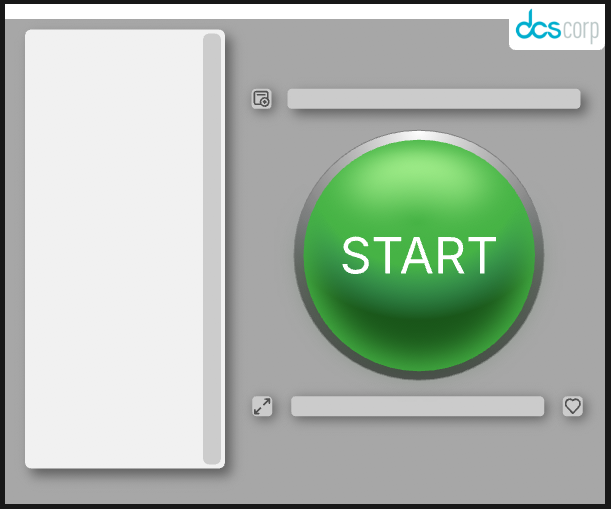
The testing technicians laid out clear constraints. The product had to be simple, with one big button in the middle that was easy to see and press. It needed a place to show logs, a way to load testing profiles, a way to read recently emitted logs, and a way to tell the application was still running even while it looked idle. I added one constraint of my own: it also had to look good to whoever saw it.
Pivot
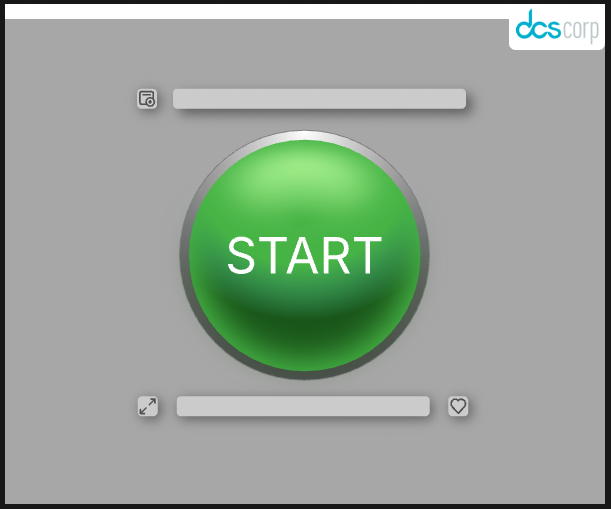
I checked in with the technicians several times through the project. What surprised me was how little they actually wanted on screen. The job became hiding what they didn’t need while keeping it reachable. I kept the design as minimal as possible and used animation to tuck away the extra. The log panel isn’t out in the open; it sits behind a button that expands when clicked. Everything else, like the status of individual features under test, got cut from the simplified screen. I built the tool in Rive instead of Tkinter, because I needed the animation and controls to make the interface feel polished.
The Outcome
What was left was one big button, a heartbeat monitor, a file selector, a bar showing the selected file, and a bar for the most recent log. The button flips between red and green with the word START or STOP as needed, and the log window slides in and out at the click of a button. The supervisor who’d assigned me the project was impressed, and so were the technicians. The interface was easy to control from C and simple enough that the technicians could use it the first time they saw it. A future pass could add a second, more detailed view for the engineers, but the timeline didn’t allow for it.
The Problem
DCS had developed a novel e-textile cable for the military support industry, but there was no way to validate its electrical behavior before manufacturing. Every iteration was costly and hard to predict. I have a background in e-textiles, so I was asked to build software that would simulate the cable’s electrical properties and predict how it would perform over certain communication protocols. I owned the project end to end, apart from some lab testing assistance and project management. It has recently finished its second iteration.
Outline
The first iteration, which I also owned and built, proved the concept using free or cheap software. The second had a larger budget and a harder goal: predict which communication frequencies a cable could carry. The client wanted to design their own e-textile cable and submit it for simulation, which meant the software had to generate customizable 3D models on demand. The simulation tool also had to model the electrical properties that mattered for each cable, show the result in 2D and 3D views, and prove it with data and graphs. The project was scheduled for twelve months and cut to eight when the budget tightened.
Pivot
I had to get proficient in CST Studio Suite while leaning on what I already knew in Blender, Rhino 8, and Python. The whole toolchain was scriptable, and I made the most of that throughout the build. Halfway through, the models stopped producing the results I expected, and the simulation runs stretched to hours, sometimes days, as a consequence. That put the project in a make-or-break spot. When I dug in, I found the first version of the cable generation pipeline had to be rebuilt almost entirely: a prototype component meant for early validation was jamming up the simulation. I redesigned the pipeline around that, and the problem cleared almost immediately.
The Outcome
The finished software is a full pipeline. It starts in a specialized build of Blender that generates an editable 3D model of the DCS e-textile cable, where the user lays out traces and sets the design parameters. The model then moves into Rhino 8, where the user assigns the cable’s materials and the software converts the mesh into a NURBS object the simulation tool can read. Finally CST Studio Suite runs the simulation, measuring how well the cable communicates across conditions. The results come back in 2D and 3D views, with graphs of different properties at different points along the cable.
Retrospective
The project was greenlit for its next phase, with a goal of turning it into a product other government agencies can use. It’s also left a mark on several partner organizations, including the Advanced Functional Fabrics of America. Future iterations could include connector swapping and weaving diagrams for production, along with other client-requested features.